In-Class Activity 5: Retrieving DB Objects:
Objective: Create a Python function to retrieve topic objects from the database and display them on a web page that utilizes template inheritance, ensuring a consistent layout through parent and child template relationships.
Description: Build a web page that lists all topics. The topics page should show all topics that users have created. Specify a URL pattern, write a view function and write a template.
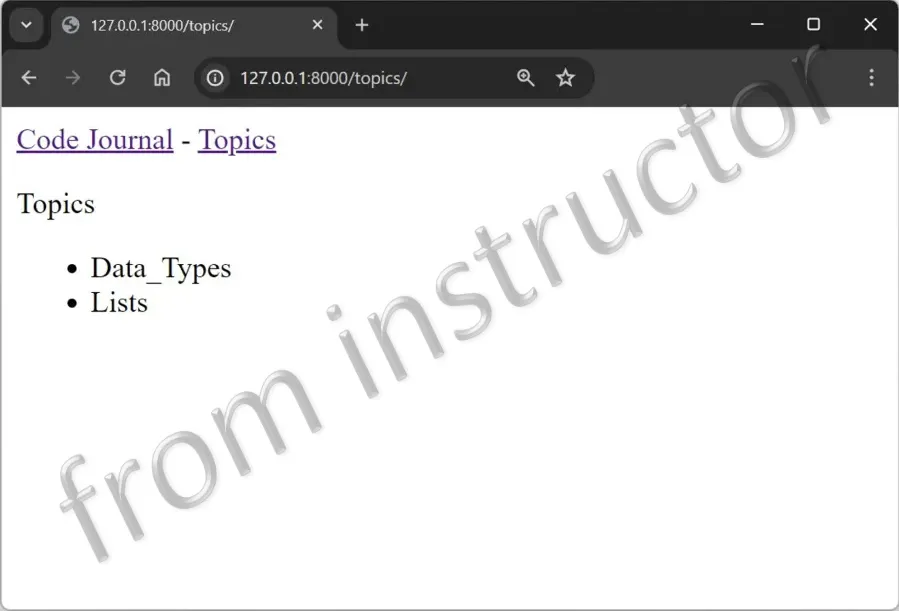
- Make a copy of your Activity4 folder and name the folder Activity5-RetrievingDBObjects. After the activity is completed, take a screenshot matching the solution image below and submit it to the first quiz question on Canvas.
- Navigate to the directory that contains manage.py and open the folder in VS code.
-
Start by creating the Parent template and then the Child template.
- a. Create the parent template, base.html in the same directory as index.html.
- b. For the Child template, rewrite index.html to inherit from base.html
- The re-written index.html should inherit from the parent template.
-
Create the Topics page
- a. Define the URL for the topics page.
- i. Here you will need to modify the urls.py page. Be sure to use the word, topics so the URL http://localhost:/8000/topics/ will return this page.
- b. Define the
topics()function to get some data from the database and send it to the template. Here you will need to modify the views.py file. - c. Create a file called topics.html in the same directory as index.html to display the topics in the template.
- d. Finally, modify the base template to include a link to the topics page. Therefore, you will need to modify the base.html file for this last step.
- a. Define the URL for the topics page.
- When you refresh the home page in your browser, you’ll see a Topics link. When you click the link, you should see a page that looks similar to the below: