Determining Your Inputs & Outputs:
- Callback functions are decorators (e.g., @app.callback), and they require three things:
1. Output: The page element that will be changed as a result of running the function. Dash gives us the flexibility to also determine which property of the component we want to modify. In this case, we want to modify the children property of the empty div. Remember, the children property of a component is what is displayed inside of it.
python1(Output(component_id='color_output', component_property='children')
2. Input: Using the same logic, we need to specify which property of which component will serve as our input to the callback function. In our case, this would be the value property.
python1(Input(component_id='color_dropdown', component_property='value')
3. A normal Python function: Any function can be used, but obviously, it needs to make sense in the context of the Input and Output that we have chosen.
Specifying the Callback Function:
- The general format to specify a callback function is to define it as an attribute of the app variable, using the Python classes’ dot notation, and then set the output and input:
python
1@app.callback(Output(component_id, component_property),
2              Input(component_id, component_property))
Putting It All Together:
- Now we have a complete callback function that belongs to our app. It knows which property of which output it will modify, as well as which property of which input it will be using for this. The function is then used for processing.
app.py
python
1from dash import dash, html, dcc, Output, Input
2
3app = dash.Dash(__name__)
4
5app.layout = html.Div([
6    dcc.Dropdown(id='color_dropdown',
7                 options=[{'label': color, 'value': color}
8                            for color in ['blue','green','yellow']]),
9    html.Br(),
10    html.Div(id='color_output')
11    ])
12
13@app.callback(Output('color_output', 'children'),
14              Input('color_dropdown', 'value'))
15
16def display_selected_color(color):
17    if color is None:
18        color = 'nothing'
19    return 'You selected ' + color
20
21if __name__ == '__main__':
22    app.run(debug=True)
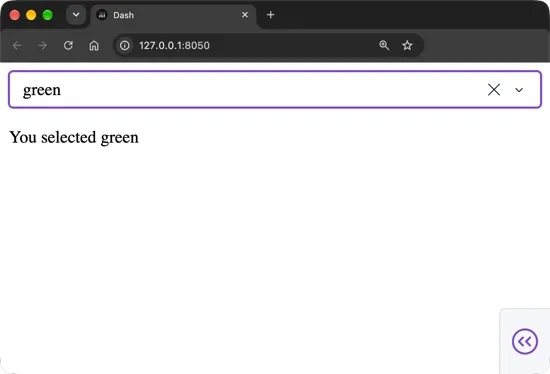
Output: (When the user selects “green” from the dropdown)