Get Amazon Stock Data from Yahoo Finance:
- The yf.download() function can fetch the data for specified tickers, including Amazon stock’s OHLC (Open, High, Low, Close) data for 18 months from 3-Jul-2023 to 3-Jan-2025.
- reset_index() at the end line 5 resets the original index, which is added as a column (see below) and a new sequential index is used. More information about reset_index can be found here.
python
1import plotly.graph_objects as go
2import plotly.offline as offline
3import yfinance as yf
4
5amzn = yf.download(tickers = "AMZN", start = "2023-07-03",
6                   end = "2025-01-03", multi_level_index = False).reset_index()
7print(amzn.head())
Terminal Output:
1[*********************100%***********************]  1 of 1 completed
2        Date       Close        High         Low        Open    Volume
30 2023-07-03  130.220001  131.850006  130.070007  130.820007  28264800
41 2023-07-05  130.380005  131.399994  129.639999  130.240005  35895400
52 2023-07-06  128.360001  128.729996  127.370003  128.250000  40639900
63 2023-07-07  129.779999  130.970001  128.130005  128.589996  41928700
74 2023-07-10  127.129997  129.279999  125.919998  129.070007  61889300
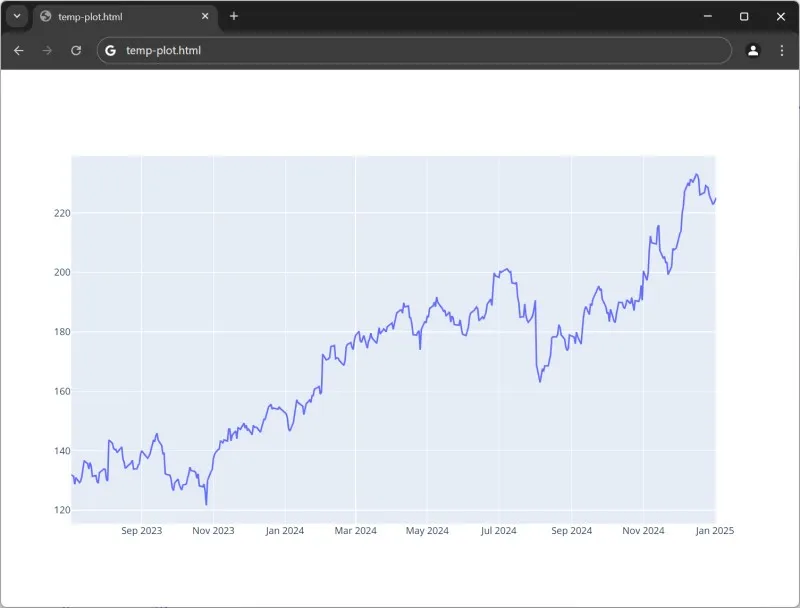
Plot a Graph of High Price Vs Date:
- The following will produce a time series:
python
8# ---snip---
9amznDates = amzn['Date']
10amznHighPrices = amzn['High']
11
12data = [go.Scatter(x = amznDates,
13                   y = amznHighPrices)]
14offline.plot(data)
Output:
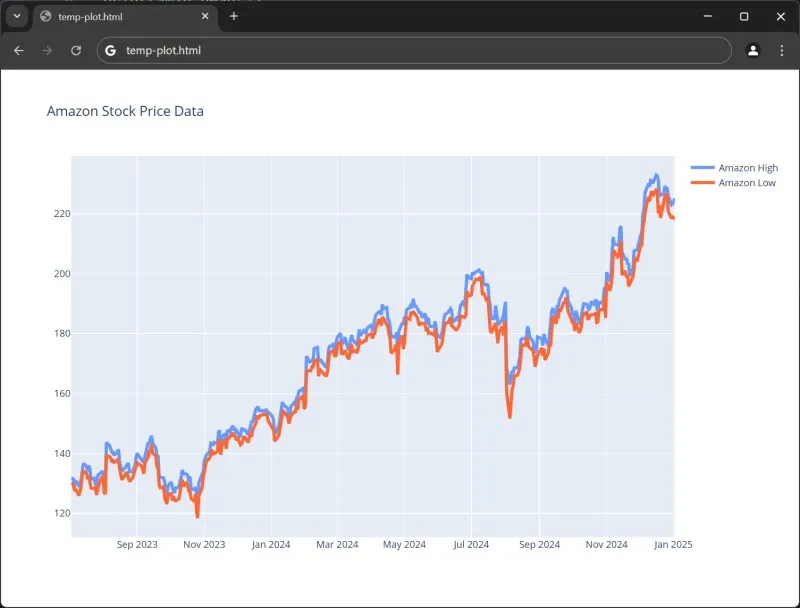
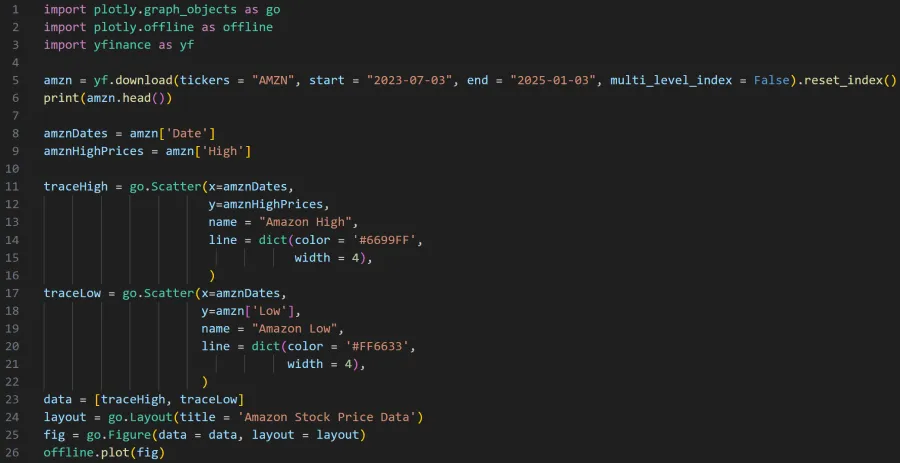
Plot Amazon High and Low on the Same Graph:
Output: