Skip to content
- Open Server Manager
- Update the Internet Explorer Enhanced Secrurity Config to the following:
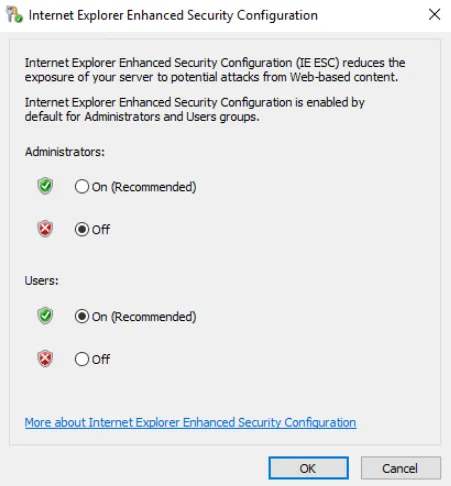
- Open File Explorer, Select the C: Drive, and create a folder named, CIS-Software.
- Add Full Control Sharing Permissions for the staff3 user.
- Add Read & execute Security Permissions for the staff3 user.
- Place the Windows Installer Package (.msi) for Google Chrome inside the CIS-Software folder.
- Test to ensure that the user, staff3, can access the file on the Windows 10 VM.
- Copy the wallpaper image from C:\Windows\Web\Wallpaper\Theme2\img10.jpg and paste it to C:\img10.jpg