Lab 5: Reading Tables from an Azure SQL Database

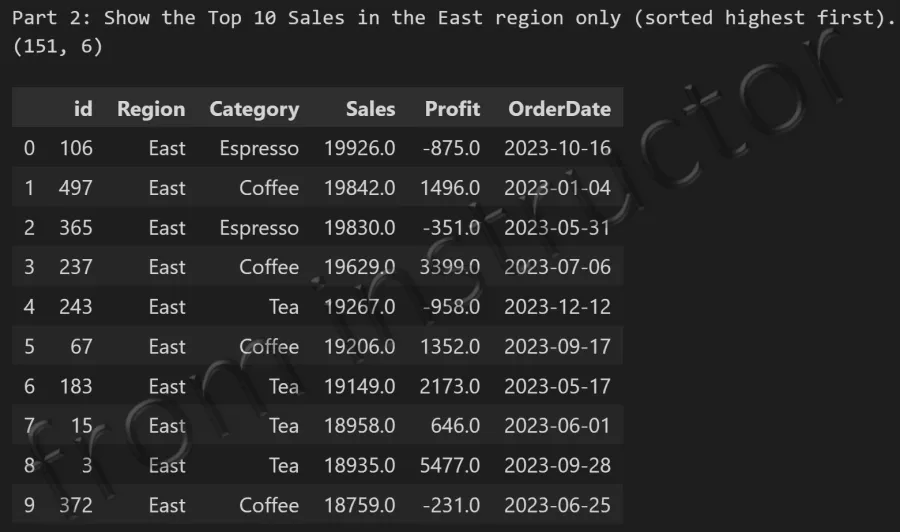
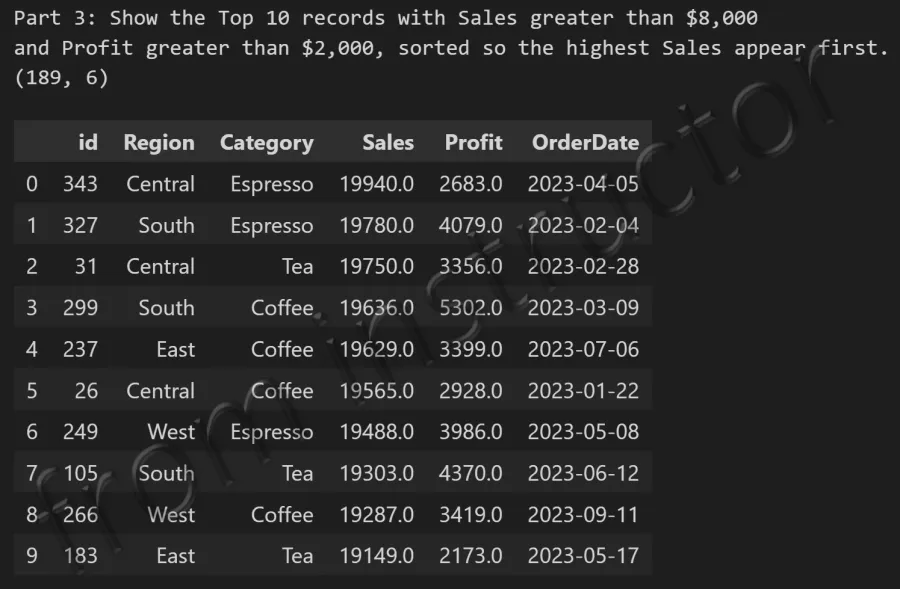
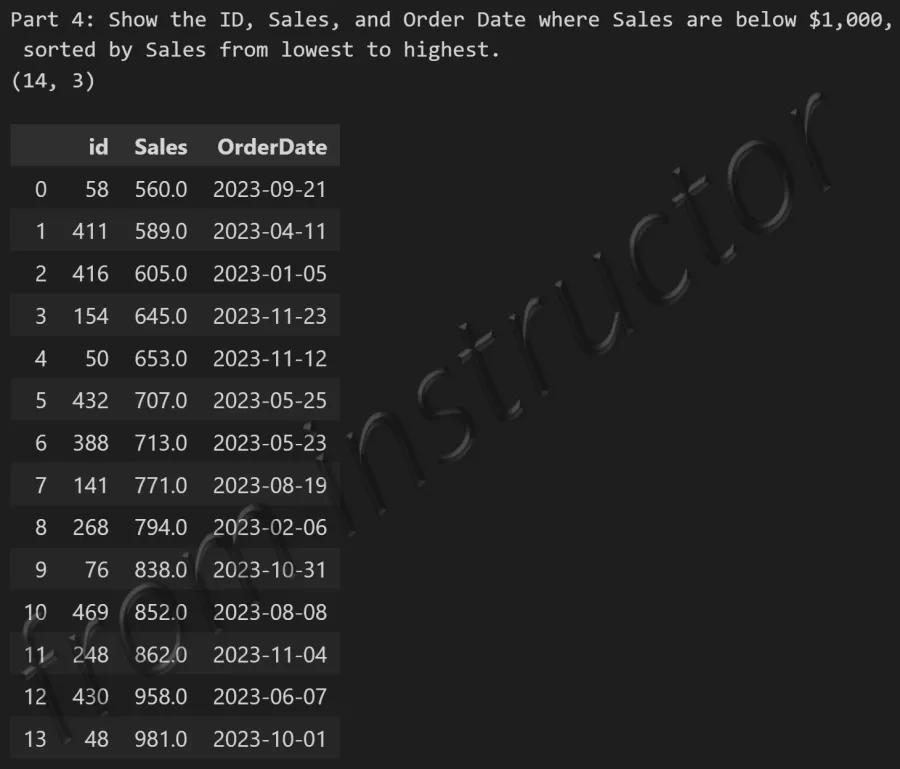
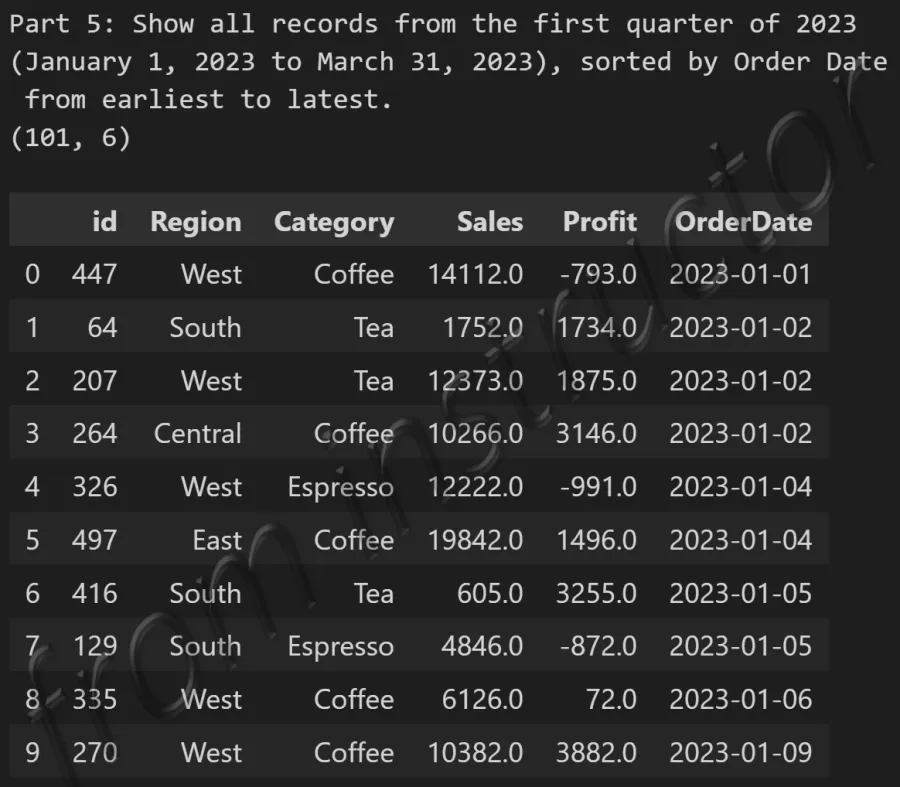
Description: Download the Lab5-Reading Tables from an Azure SQL Database.ipynb Jupyter Notebook file. First connect to the SQL Server database hosted in Microsoft Azure. Then, use pd.read_sql_query(), and the appropriate SQL operations including SELECT, FROM, WHERE, and ORDER BY to analyze sales data from the dbo.coffee_sales table. Submit screengrabs of your code containing the output, similar to the screenshots below.


Part 1:
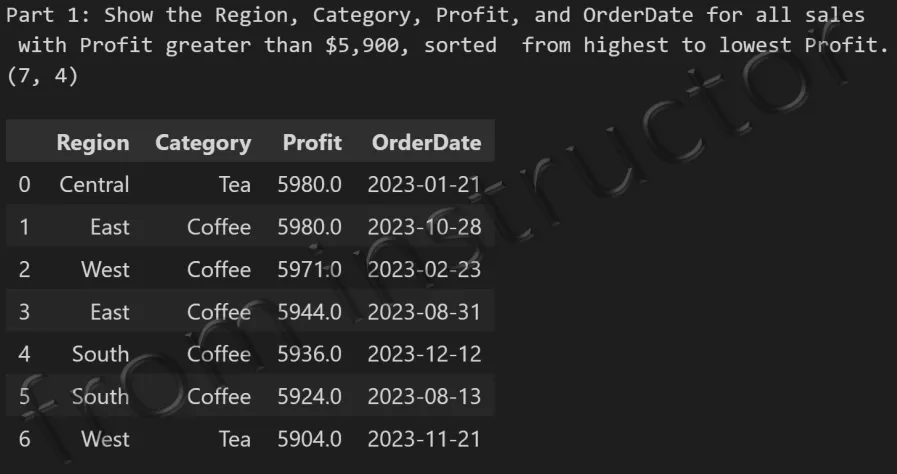
Expected output: SELECT query result from dbo.coffee_sales table showing all columns and rows


Part 2:

Expected output: SELECT query with WHERE filter on dbo.coffee_sales table showing filtered coffee sales rows


Part 3:

Expected output: SELECT query with ORDER BY on dbo.coffee_sales table showing sorted coffee sales results


Part 4:

Expected output: SELECT query with WHERE and ORDER BY on dbo.coffee_sales table showing filtered and sorted results


Part 5:

Expected output: Combined SQL query result from dbo.coffee_sales table with multiple conditions applied