What is Bokeh?
- A data visualization package that enables the development of interactive, web-based data visualizations.
- Excellent to leverage when you want to display and interact visually with complex data sets or serve up such visualizations through the web.
- Declarative, not procedural: you describe the visualization (figure, glyphs, properties) rather than writing step-by-step drawing instructions.
- Matplotlib is more procedural: plt.plot(x, y), plt.xlabel(‘X-axis’), plt.ylabel(‘Y-axis’), plt.title(‘Title’), etc. Each function call modifies the plot in a specific way.
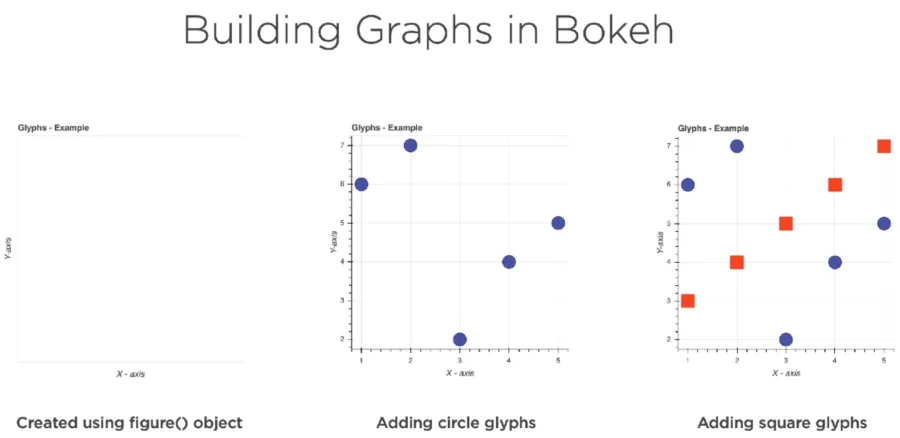
Building Graphs in Bokeh:
- Start out by creating an empty figure using the figure object. This unlocks all the available tools for visualizing data.
- Glyphs are the building blocks of Bokeh. A glyph is a graphical shape or marker that is used to represent your data, like a circle or square. They can also represent lines, bars, etc.
- Glyphs can be combined as needed to fit your data visualization needs.
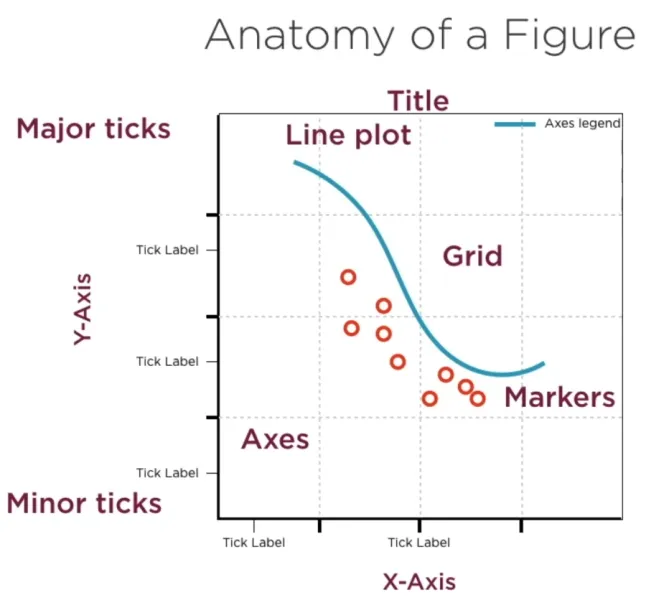
The Anatomy of a Figure:1
Bokeh Interface:
- bokeh.models: Low-level interface offering flexibility and control. It provides access to the underlying components of Bokeh, allowing for more customization and fine-tuning of visualizations. (e.g., ColumnDataSource, HoverTool, etc.)
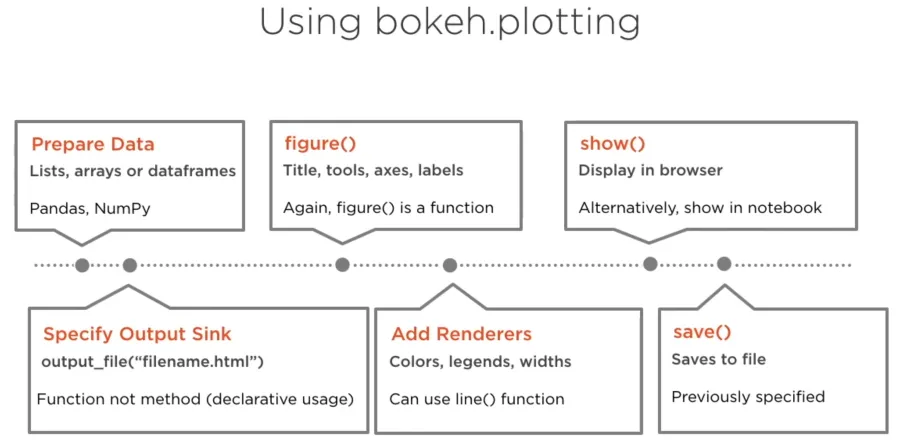
- bokeh.plotting: High-level interface designed to make plotting quick and simple. It represents the most commonly used interface for creating visualizations with Bokeh.
bokeh.plotting:
Install Bokeh:
- Bokeh is available in the public repository called PyPI (Python Package Index)
- The tool can be installed from the command line using the Python Management System, pip.
- For Windows users, from the command line, running as an administrator, simply issue the following command:
| pip install bokeh |
- For Mac users, from a terminal, simply issue the following command:
| pip3 install bokeh |
Footnotes
-
Jolly, K. (2018). Hands-On Data Visualization with Bokeh. Packt Publishing. ↩